- Published on
Your ClickUp dashboard can't compare your two key numbers
- Authors

- Name
- Will
- @productive_will
A client came to me this week with a problem that sounds small until you try to solve it.
They're an events management company. They had two numbers they needed to see side by side. The catch was that the two numbers lived in two different ClickUp lists, owned by two different teams.
One list (Sales) had the cost of each upcoming event. The other list (Events) had the revenue target.
ClickUp's built-in dashboard charts just couldn't do it. They can pull data from multiple lists, but they can't chart the two numbers against each other. The usual workarounds are worse than the initial problem. Manually linking tasks across lists, or duplicating the data and keeping it in sync by hand. Neither of those options work with a busy team.
So I built something that does the joining automatically, and puts the finished chart back inside ClickUp where they already work.
Here's how it works. I hope it sparks some ideas for your ClickUp workspace.
The Sales list has the event name, date of the event, cost, and a unique event ID. The Events list has the event name, date of the event, revenue target, and the same event ID. The ID is what ties the two halves together.
When anyone updates an event in either list, an automation in Make.com picks it up and looks for the ID in a Google Sheet.
If the event's already there, it updates the row with the new data. If it isn't, it creates a fresh row.
The sheet ends up with one clean row per event — both numbers together, no manual linking, no duplicate entries.
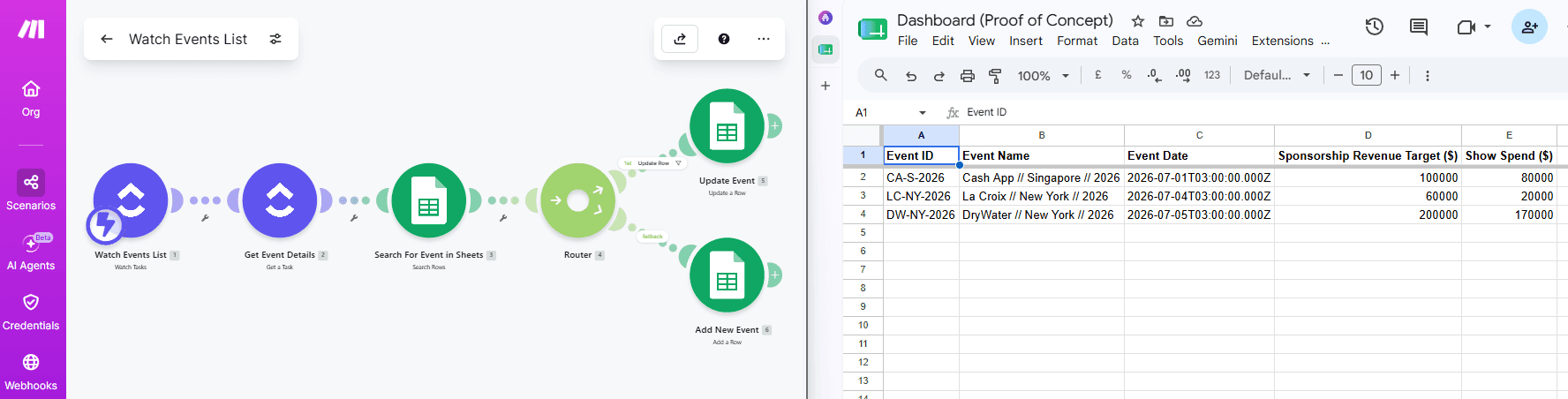
Next I used a platform for making charts called Google Data Studio. It reads the data on that sheet directly and draws a bar chart: the two numbers side by side, one pair of bars per event, labelled so it's readable at a glance.
Then the chart gets embedded straight back into a ClickUp dashboard 🥳 The client never leaves their workspace. They get a proper chart sitting next to everything else they manage, updating on its own as the teams do their work.
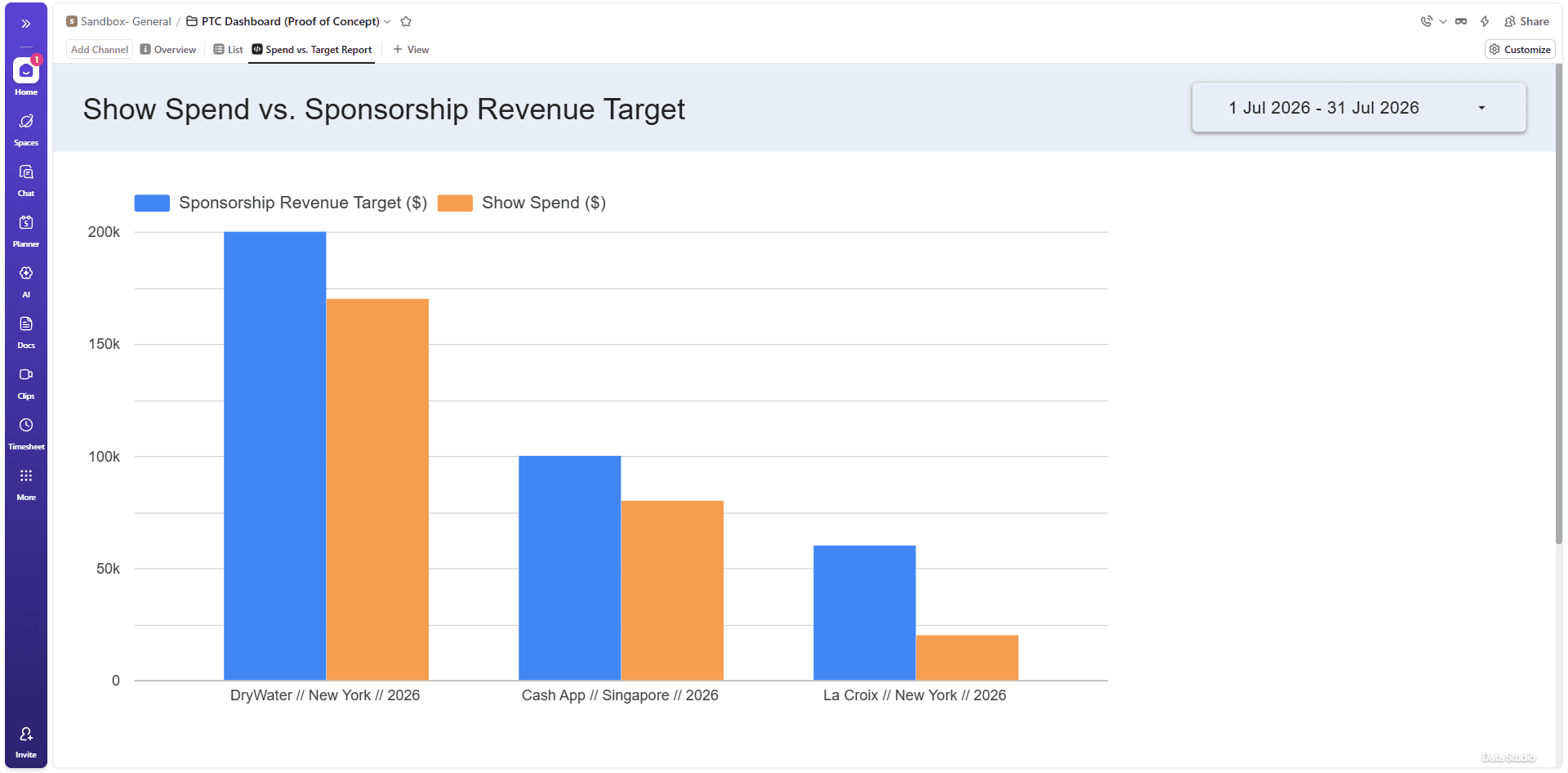
The thing I want to point out is that nobody has to change how they work. Each team keeps working in their own list. The connection happens behind the scenes.
ClickUp is a good place to run the work. It isn't always the best place to chart and analyse it.
When the built-in charts hit a wall, build them in a proper tool then embed them back to where the work already lives.
P.S. If you're running your business in ClickUp and it's fighting you instead of helping, that's what I fix. Get in touch and tell me what's stuck.
Watch the full walkthrough video here: