- Published on
When your “simple Airtable” quietly becomes your whole business
- Authors

- Name
- Will
- @productive_will
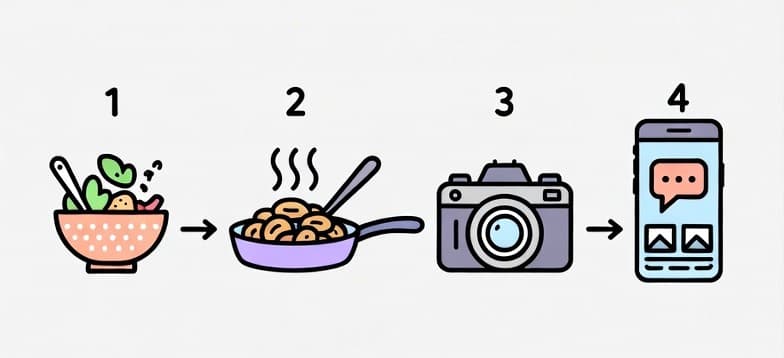
Most teams don’t wake up one day and say, “Right, our system is broken.”
It just kinda… creeps up on them.
That’s what happened with a food content brand I worked with recently.
They started with a simple Airtable base to track ideas, shoots, edits, and posts. It was neat. It was tidy. And for a while, it worked.
Then the brand grew. The content volume went up. The team got bigger.
And that “simple base” quietly turned into the way they ran the entire business.
- One table with thousands of records
- Filters stacked on filters just to answer basic questions
- Recipes nobody could find, buried in rows
The founder’s words were basically: we’re not trying to be fancy. We just want to see what’s going on without living inside a spreadsheet.
So I moved them into ClickUp.
Step 1: Respect what already works
The goal wasn’t to burn everything down and start again.
I started by exporting their main Airtable table and mapping all the fields that mattered:
- What they were tracking (ideas, recipes, shoots, edits, posts)
- Which filters/views the team relied on every day
- Which custom fields were really needed
The good news was the structure wasn’t wrong. It just wasn’t built to be this business operating system.
Step 2: Build a real workflow in ClickUp
From there, I rebuilt the system in ClickUp:
- Created a master list as the single source of truth for every piece of content
- Set up focused views for planning, production, approvals, and published content
- Brought historical data across so nothing was lost in the move
- Preserved relationships so the team still had the full story behind each piece of content
Same information. Different container.
The big shift was this: Instead of “one giant table we bend to our will”, they now have the workflow and data in a workspace that will let them scale.
Step 3: Make the team feel at home
A new tool only works if people actually use it.
So once the structure was in place, I made sure I was available to answer questions from the team at any time.
I recorded walkthrough videos using their real data so they could see exactly how things worked. Then tweaked the things that weren't working so well.
The goal for the end of the project is for the founder to think: “I can finally see what’s in motion without digging.”
The before/after in plain English
Before:
- Airtable doing way more than it was ever meant to do
- No clear separation between planning, production, and live content
- Lots of context buried in the thousands of rows
After:
- One master view that shows exactly what’s moving right now
- Clear stages that fit how the team actually works
- An AI-ready system that can handle more campaigns without turning into chaos
Same team. Same content. Less friction.
If your “simple tracker” is running the whole show…
If you’re a service provider or content-focused business and your Airtable/Notion/Google Sheet has quietly become the backbone of your operations, it might be time to upgrade the system around it.
Not because you need more tools but because you need a workflow that:
- Gives you visibility without living inside a spreadsheet
- Reduces the mental load on you and your team
- Can scale as you take on more clients, campaigns, or channels
If that sounds familiar and you’re curious what a move into ClickUp could look like for your setup, get in touch and we'll walk through how I’d approach it.